
Enhancing Classroom Engagement with Advanced Projection and Interactive Display Installations
In today’s educational landscape, technology integration plays a pivotal role in elevating teaching methods and student engagement. Among the most transformative tools are classroom projection systems and interactive displays, which collectively redefine how educators deliver content and how students interact with material. This article explores the key technical parameters, installation best practices, and the profound impact of these display technologies on modern classrooms.
Understanding Classroom Projection Systems
Classroom projectors have evolved significantly from traditional analog devices. Contemporary models feature high brightness levels, measured in lumens, critical for ensuring clear visibility in well-lit environments. For example, projectors emitting 3,000 to 4,500 lumens are ideal for medium to large classrooms, maintaining vibrant image quality without needing to dim room lights, which supports student attentiveness.
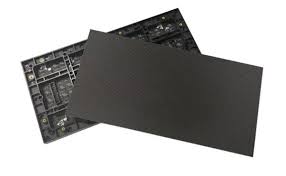
Resolution is another essential parameter. High-definition (HD) projectors with 1920x1080 (Full HD) or higher (such as 4K UHD 3840x2160) deliver crisp text and detailed graphics essential for educational content clarity. High resolution ensures fine details in charts, videos, and diagrams are visible, facilitating better comprehension.
Connectivity options, including HDMI, VGA, USB, and wireless casting, have expanded projector versatility. Wireless connectivity particularly enables teachers to share content directly from laptops, tablets, or smartphones, fostering dynamic and interactive lessons.
Interactive Display Installations: Revolutionizing Classroom Interaction
Interactive displays, commonly implemented as large touchscreens or digital whiteboards, provide a hands-on learning experience. Sizes generally range from 55 to 86 inches, with 75-inch displays being popular for balancing visibility and classroom space.
Key technical specifications for interactive displays include:
- Touch Technology: Infrared (IR) touch frames or capacitive touch panels offer multi-touch capability, with 10-point touch support enabling simultaneous interaction by multiple students.
- Brightness: Displays with at least 350 to 500 nits ensure clarity in brightly lit classrooms.
- Resolution: Full HD is standard, with many premium models offering 4K resolution to support detailed educational content.
- Built-in Software: Integrated educational software suites and compatibility with interactive teaching tools promote seamless lesson design and student engagement.
These displays often feature pen input and palm rejection technology to simulate natural handwriting and drawing, making lessons more intuitive and engaging.
Best Practices for Installation in Classrooms
Installing projection and interactive display systems requires thoughtful planning to maximize performance and durability:
- Optimal Positioning: Ceiling mounts for projectors prevent obstruction and reduce shadow interference. The distance between projector and screen (throw ratio) must be matched precisely for image clarity and size, following manufacturer specifications.
- Screen Selection: Tensioned projection screens or ambient light rejecting (ALR) screens improve image quality by enhancing contrast and reducing glare, especially important in rooms with natural light.
- Power and Network: Secure and concealed wiring for power and network ensures safety and reliability. Power stabilization devices protect sensitive electronics from voltage fluctuations.
- User Accessibility: Interactive displays should be installed at ergonomic heights to accommodate all users comfortably, including young students.
Educational Impact and Case Studies
Numerous studies emphasize the positive correlation between interactive technology use and enhanced learning outcomes. For instance, a case study conducted by the International Society for Technology in Education (ISTE) revealed that classrooms utilizing interactive displays reported a 30% increase in student participation and a significant improvement in collaborative problem-solving.
Another example from a 2023 pilot project across several schools in the UK demonstrated that classrooms equipped with high-brightness projectors combined with interactive displays experienced enhanced lesson flexibility, allowing educators to incorporate multimedia seamlessly and engage students across varied learning styles.
Future Trends
Emerging trends in classroom display technology focus on integrating Artificial Intelligence (AI) to customize learning experiences, gesture recognition for touchless control, and augmented reality (AR) overlays to enrich curriculum delivery. Moreover, innovations in wireless connectivity and cloud integration allow effortless content sharing and remote access, supporting hybrid learning environments.
Conclusion
Classroom projection and interactive display installations are indispensable tools in modern education, fostering interactive, visually rich, and student-centered learning environments. Selecting appropriate devices with consideration to technical performance, installation best practices, and user experience ensures optimal outcomes and long-term value for educational institutions worldwide.
References:
- International Society for Technology in Education (ISTE), “Impact of Interactive Displays in Education,” 2022.
- ANSI/NEMA IT7.229-2017 standard for projector performance.
- Commission Internationale de l’Eclairage (CIE) standards for display luminance.
- Case studies from UK Department for Education (DfE), 2023 pilot classroom technology integration.